Finally Back—Learning the Lathe the Hard Way
Been diving deep with the NSCNC Lathe3—definitely not plug-and-play! 😂 Learning the hard way with Mach4 setups and Fusion 360 tweaks. Every cut brings me closer to that precision dream. Check out my journey here: https://thebitcoinwatchmaker.com/post/view/finally-backlearning-the-lathe-the-hard-way/ 🛠️✨
Finally Back—Learning the Lathe the Hard Way
Wow, it’s been a while since my last post! I’ve been deep in the trenches learning how to use the NSCNC Lathe3, and let’s just say—it hasn’t been plug-and-play. 😅
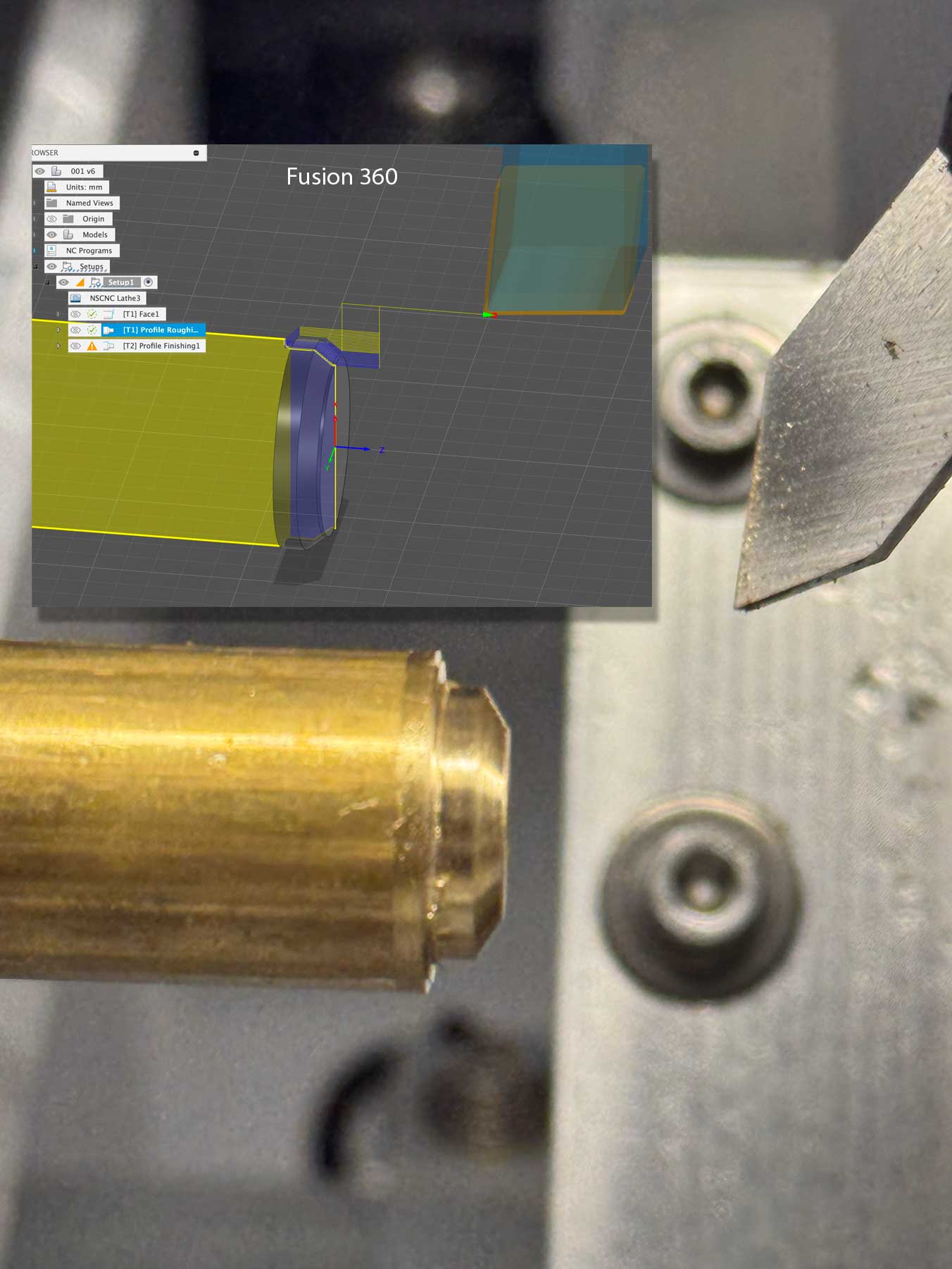
The manufacturer didn’t send it fully configured, so I had to learn how to set up Mach4, tweak post processor code, and fine-tune Fusion 360 just to get accurate results. It’s been intense, but I’m slowly getting there.
Still a lot to learn—especially when it comes to centering tools and actually achieving clean cuts with good tolerances. I’ve been experimenting with HSS tools for learning, but Fusion’s setup for that is a bit... strange.
Mach4 Setup
- Machine configured as: "Lathe Diameter"
- Tool 1: Tip placed at the center of the stock. On G54, measure XYZ, and in tool offsets, everything is zeroed.
- Tool 2+:
- Z → Face of stock (WCS)
- X → Center of stock
- In tool offsets, measure XYZ offsets
-
Post processor had to modify the startSpindle(), to add a hold of 1 second, to allow the change of spindle rotation and allow the motor to rest.if (typeof startSpindle.lastDirection !== "undefined" && startSpindle.lastDirection !== spindleDir) { writeBlock(mFormat.format(5)); // M5 - Stop spindle writeBlock(gFormat.format(4), "P1.0"); // G4 P1 - Dwell for 1 second } startSpindle.lastDirection = spindleDir;}
Fusion 360 Setup
Upper Tools:
- Post Turret: 104
- Setup: Orientation: 0°, Spindle Rotation: CW
- Holder: If it’s a
-Rtool → Left Handed, if-Ltool → Right Handed
Lower Tools:
- Post Turret: 103
- Setup: Orientation: 0°, Spindle Rotation: CCW
- Holder: If it’s a
-Rtool → Left Handed, if-Ltool → Right Handed
This is what’s working so far! Still a long road ahead, but progress is being made—one cut at a time. 💪